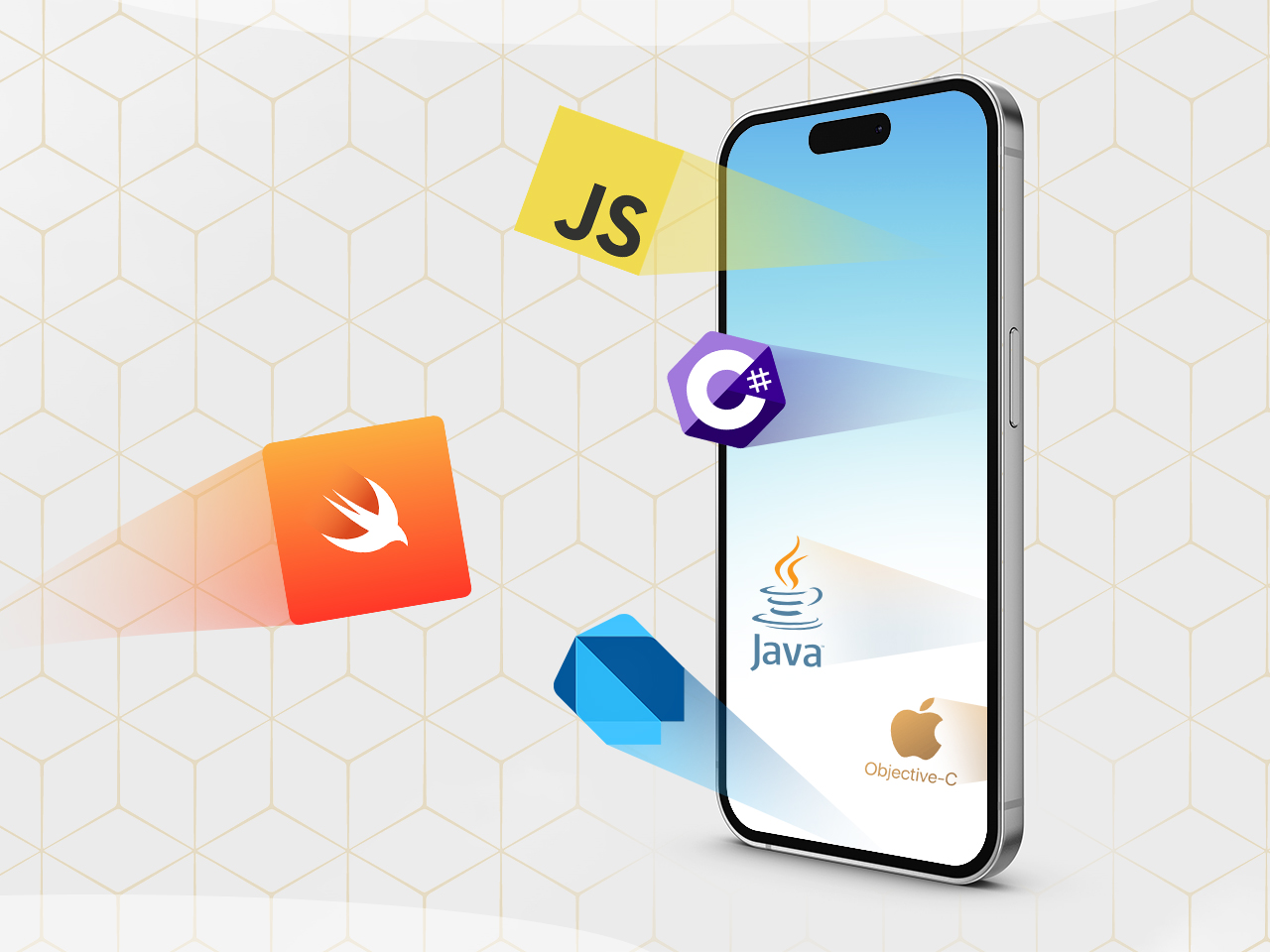
What language are iOS apps written in? The answer to this question is not as straightforward as one might think. There are two primary programming languages used to develop iOS apps: Swift and Objective-C. Each language has its own advantages and disadvantages, and the choice of which language to use depends on a number of factors, including the developer’s experience, the type of app being developed, and the desired performance characteristics.
In this presentation, we will take a closer look at Swift and Objective-C, and discuss the factors that should be considered when choosing a language for iOS app development.
Programming Languages used in iOS App Development
iOS apps are primarily developed using the Swift programming language. Swift is a modern, safe, and efficient language designed specifically for iOS, macOS, tvOS, and watchOS development. It is known for its ease of use, readability, and performance.Other programming languages used in iOS app development include Objective-C, C++, and JavaScript.
Objective-C is the predecessor to Swift and is still widely used in legacy iOS apps. C++ is a powerful and efficient language that provides low-level control over hardware and memory. JavaScript is primarily used for developing web-based applications that can be embedded within iOS apps.The choice of programming language for iOS app development depends on the specific requirements of the app.
Swift is the recommended language for most iOS apps, as it offers the best combination of ease of use, performance, and safety. Objective-C is still a viable option for legacy apps or apps that require low-level control. C++ is suitable for performance-intensive apps, while JavaScript is ideal for web-based applications.
Advantages and Disadvantages of Swift
Advantages:
- Easy to learn and use
- Readable and concise syntax
- Safe and reliable
- High performance
- Extensive standard library
Disadvantages:
- Relatively new language
- Limited support for legacy code
- Can be slower than Objective-C in some cases
Advantages and Disadvantages of Objective-C
Advantages:
- Mature and stable language
- Wide support for legacy code
- Powerful and efficient
- Low-level control over hardware and memory
Disadvantages:
- More complex and verbose than Swift
- Can be difficult to learn for beginners
- Less safe than Swift
Advantages and Disadvantages of C++
Advantages:
- Powerful and efficient
- Low-level control over hardware and memory
- Suitable for performance-intensive apps
Disadvantages:
- Complex and difficult to learn
- Not as safe as Swift or Objective-C
- Can be difficult to debug
Advantages and Disadvantages of JavaScript
Advantages:
- Widely used for web development
- Easy to learn and use
- Can be embedded within iOS apps
Disadvantages:
- Not as powerful as Swift or Objective-C
- Can be less efficient than native code
- Not suitable for performance-intensive apps
Popular iOS Apps Written in Different Languages
Swift
WhatsApp, Uber, Airbnb, Netflix
Objective-C
Facebook, Instagram, Twitter, YouTube
C++
Asphalt 9: Legends, Real Racing 3, Infinity Blade
JavaScript
Google Maps, Gmail, Trello, Slack
Key Features and Syntax of Swift
- Type safety
- Automatic memory management
- Closures and lambdas
- Generics
- Protocols
Key Features and Syntax of Objective-C
- Object-oriented programming
- Dynamic typing
- Message passing
- Blocks
- Categories
Key Features and Syntax of C++
- Object-oriented programming
- Static typing
- Templates
- Inheritance
- Polymorphism
Key Features and Syntax of JavaScript
- Prototype-based programming
- Dynamic typing
- Functions and closures
- Objects and arrays
- Asynchronous programming
Learning Curve and Resources for Swift
- Swift is relatively easy to learn for beginners, especially for those with experience in other programming languages.
- There are numerous online tutorials, courses, and books available for learning Swift.
- Apple provides extensive documentation and support for Swift.
Learning Curve and Resources for Objective-C
- Objective-C is more complex than Swift, but it is still a viable option for iOS app development.
- There are fewer resources available for learning Objective-C compared to Swift.
- Apple provides documentation and support for Objective-C, but it is not as extensive as for Swift.
Learning Curve and Resources for C++
- C++ is a powerful but complex language, and it can be difficult to learn for beginners.
- There are numerous resources available for learning C++, but they can be more technical and challenging than resources for Swift or Objective-C.
- Apple provides limited support for C++ in iOS app development.
Learning Curve and Resources for JavaScript
- JavaScript is a widely used language for web development, and there are numerous resources available for learning it.
- Apple provides support for JavaScript in iOS app development, but it is not as extensive as for Swift or Objective-C.
Objective-C Programming Language
Objective-C is an object-oriented programming language developed by Brad Cox and Tom Love in the early 1980s. It is a superset of the C programming language and adds support for object-oriented features such as classes, objects, and inheritance. Objective-C was originally developed for use in the NeXTSTEP operating system, but it was later adopted by Apple and became the primary programming language for iOS and macOS development.Objective-C is a powerful and expressive language that allows developers to create complex and sophisticated applications.
It is a statically typed language, which means that the compiler checks the types of variables and expressions at compile time. This helps to prevent errors and makes it easier to maintain code. Objective-C also has a rich set of libraries and frameworks that make it easy to develop applications for a variety of platforms.
Key Concepts and Syntax
Objective-C is based on the C programming language, so it shares many of the same syntax and semantics. However, Objective-C also introduces a number of new concepts and features, including:* Classes and Objects:Classes are blueprints for objects. They define the properties and methods that objects of that class will have.
Objects are instances of classes. They contain the data and state of the application.
Inheritance
Inheritance allows classes to inherit properties and methods from other classes. This makes it easy to create new classes that are based on existing classes.
Dynamic Binding
Dynamic binding allows objects to respond to messages at runtime. This makes it possible to create applications that are flexible and extensible.
Protocols
Protocols define a set of methods that a class must implement. This makes it easy to create classes that can work together in different ways.
Examples of iOS Apps Developed Using Objective-C
Objective-C has been used to develop a wide range of iOS apps, including:* Instagram:Instagram is a popular photo and video sharing app. It was originally developed using Objective-C, but it has since been rewritten in Swift.
Uber
Uber is a ride-sharing app. It was developed using Objective-C and is still used by the company today.
Airbnb
Airbnb is a home-sharing app. It was developed using Objective-C and is still used by the company today.Objective-C is a powerful and expressive language that is well-suited for developing iOS apps. It is a statically typed language with a rich set of libraries and frameworks.
Objective-C has been used to develop a wide range of successful iOS apps, including Instagram, Uber, and Airbnb.
Comparison of Swift and Objective-C

Swift and Objective-C are the two primary programming languages used for iOS app development. Both languages have their own strengths and weaknesses, and the choice of which language to use depends on a variety of factors, including the project requirements, developer experience, team size, and timeline.
Swift is a modern, general-purpose programming language developed by Apple. It is designed to be safe, fast, and expressive, and it includes a number of features that make it well-suited for iOS development, such as automatic memory management, type safety, and concurrency support.
Objective-C is an object-oriented programming language that has been used for iOS development since the early days of the iPhone. It is a powerful and flexible language, but it can be more complex and difficult to learn than Swift.
Syntax and Structure
Swift has a clean and concise syntax that is designed to be easy to read and write. Objective-C, on the other hand, has a more complex syntax that can be more difficult to learn.
For example, the following code snippet declares a variable in Swift:
“`swiftvar name = “John”“`
The same code snippet in Objective-C would be:
“`objective-cNSString
name = @”John”;
“`
Memory Management
Swift uses automatic reference counting (ARC) to manage memory, which means that the developer does not need to manually allocate or release memory. Objective-C, on the other hand, uses manual memory management, which means that the developer is responsible for allocating and releasing memory.
For example, the following code snippet allocates and releases memory in Objective-C:
“`objective-cNSString
-name = [[NSString alloc] initWithString
@”John”];[name release];“`
Type Safety
Swift is a type-safe language, which means that it checks the types of variables and expressions at compile time. Objective-C, on the other hand, is a dynamically typed language, which means that it does not check the types of variables and expressions until runtime.
For example, the following code snippet would cause a compile-time error in Swift:
“`swiftvar name = 123“`
The same code snippet would not cause an error in Objective-C.
Concurrency
Swift includes built-in support for concurrency, which makes it easy to write code that can run in parallel. Objective-C does not include built-in support for concurrency, but it can be added using third-party libraries.
For example, the following code snippet creates a concurrent queue in Swift:
“`swiftlet queue = DispatchQueue(label: “com.example.myQueue”)“`
The same code snippet in Objective-C would be:
“`objective-cdispatch_queue_t queue = dispatch_queue_create(“com.example.myQueue”, DISPATCH_QUEUE_CONCURRENT);“`
Performance
Swift is generally faster than Objective-C, especially for large projects.
For example, a study by Apple found that Swift code can be up to 2.6 times faster than Objective-C code.
Ease of Use
Swift is generally considered to be easier to learn and use than Objective-C.
For example, Swift does not require developers to use header files, which can make it easier to manage large projects.
Learning Curve
The learning curve for Swift is generally considered to be shorter than the learning curve for Objective-C.
For example, a survey by Stack Overflow found that Swift developers are more likely to be self-taught than Objective-C developers.
Community Support
Swift has a large and active community, which means that there is a lot of support available online.
For example, there are many Swift forums and discussion groups where developers can ask questions and get help.
Tooling
Swift has a number of powerful tools that make it easier to develop iOS apps, such as Xcode and the Swift Package Manager.
For example, Xcode includes a number of features that make it easy to write, build, and test Swift code.
Choosing the Right Language
The choice of which language to use for iOS app development depends on a variety of factors, including the project requirements, developer experience, team size, and timeline.
- If you are new to iOS development, Swift is a good choice because it is easier to learn and use than Objective-C.
- If you have experience with Objective-C, you may be more comfortable using it for iOS development.
- If you are working on a large project, Swift may be a better choice because it is faster and more scalable than Objective-C.
- If you are working on a small project with a tight timeline, Objective-C may be a better choice because it is more mature and has a larger community of developers.
Table Comparing Swift and Objective-C
| Feature | Swift | Objective-C |
|---|---|---|
| Syntax | Clean and concise | Complex and difficult to learn |
| Memory Management | Automatic reference counting (ARC) | Manual memory management |
| Type Safety | Type-safe | Dynamically typed |
| Concurrency | Built-in support for concurrency | No built-in support for concurrency |
| Performance | Generally faster than Objective-C | Generally slower than Swift |
| Ease of Use | Generally considered to be easier to learn and use than Objective-C | Generally considered to be more difficult to learn and use than Swift |
| Learning Curve | Generally considered to have a shorter learning curve than Objective-C | Generally considered to have a longer learning curve than Swift |
| Community Support | Large and active community | Large and active community |
| Tooling | Powerful tools such as Xcode and the Swift Package Manager | Powerful tools such as Xcode and CocoaPods |
Conclusion
Swift and Objective-C are both powerful languages for iOS development. The choice of which language to use depends on a variety of factors, including the project requirements, developer experience, team size, and timeline.
Xcode Integrated Development Environment (IDE)

Xcode is an integrated development environment (IDE) for macOS created by Apple for developing software for macOS, iOS, iPadOS, tvOS, and watchOS.
Xcode includes a suite of software development tools, including a code editor, a debugger, and a graphical user interface (GUI) designer. Xcode supports multiple programming languages, including Swift, Objective-C, C, C++, and Java.
Features and Capabilities of Xcode
- Code editing and syntax highlighting
- Code completion and refactoring
- Debugging and profiling tools
- GUI designer
- Version control integration
- App testing and deployment
Using Xcode to Develop iOS Apps
To use Xcode to develop iOS apps, you will need to create a new Xcode project. You can choose from a variety of templates, including a single-view app, a tabbed app, or a navigation-based app.
Once you have created a project, you can start adding code to your app. You can use the code editor to write Swift or Objective-C code. You can also use the GUI designer to create the user interface for your app.
When you are ready to test your app, you can use the debugger to step through your code and identify any errors. You can also use the simulator to test your app on a virtual device.
Once you are satisfied with your app, you can deploy it to the App Store. Xcode provides tools to help you submit your app to the App Store and manage its distribution.
Examples of Xcode Projects and Workflows
Here are some examples of Xcode projects and workflows:
- Creating a simple single-view app
- Creating a tabbed app with multiple views
- Creating a navigation-based app with a hierarchy of views
- Using the GUI designer to create a custom user interface
- Debugging and profiling your app to identify and fix errors
- Testing your app on a virtual device or a real device
- Deploying your app to the App Store
iOS Software Development Kit (SDK)
The iOS Software Development Kit (SDK) is a collection of tools and frameworks that allows developers to create apps for Apple’s iOS operating system. It provides access to the core functionality of the iOS platform, including the user interface, hardware features, and system services.The SDK includes a wide range of components, including:
- Foundation:Provides basic data types, collections, and other essential functionality.
- UIKit:Provides the user interface elements and controls used to create the graphical interface of an iOS app.
- Core Data:Provides a framework for managing and persisting data in an object-oriented manner.
- Core Graphics:Provides low-level access to the graphics hardware for creating custom graphics and animations.
- Metal:Provides a low-level graphics API for high-performance graphics rendering.
To use the SDK, developers import the necessary frameworks into their Xcode project and use the provided classes and methods to access iOS features and functionality. For example, to create a simple button in an iOS app, a developer would import the UIKit framework and use the UIButton class to create a new button object.The iOS SDK is an essential tool for anyone who wants to develop apps for the iOS platform.
It provides a comprehensive set of tools and frameworks that make it easy to create powerful and user-friendly apps.
Cocoa Touch Framework
Cocoa Touch is a framework that provides a set of tools and APIs for developing iOS applications. It is a powerful framework that allows developers to create rich and interactive user interfaces, handle user input and events, manage data and resources, and much more.
Components of Cocoa Touch
The Cocoa Touch framework consists of several key components, including:
- UIKit:Provides a set of classes for creating user interfaces, including views, controls, and gestures.
- Foundation:Provides a set of general-purpose classes for working with data, networking, and other tasks.
- Core Data:Provides a framework for managing persistent data.
- Core Graphics:Provides a set of classes for drawing and manipulating graphics.
Using Cocoa Touch to Develop iOS Apps
To develop iOS apps using Cocoa Touch, developers can use the Xcode integrated development environment (IDE). Xcode provides a set of tools and features that make it easy to create, build, and debug iOS apps. Developers can use Cocoa Touch to create custom views and controls, handle user input and events, manage data and resources, and much more.
Key Differences Between Cocoa Touch and UIKit
Cocoa Touch is a broader framework that includes UIKit. UIKit is a specific framework that provides a set of classes for creating user interfaces. Cocoa Touch also includes other frameworks, such as Foundation, Core Data, and Core Graphics.
Creating Custom Views and Controls
Cocoa Touch provides a set of classes for creating custom views and controls. Developers can use these classes to create their own custom user interface elements, such as buttons, text fields, and sliders.
Handling User Input and Events
Cocoa Touch provides a set of classes for handling user input and events. Developers can use these classes to handle events such as taps, swipes, and keyboard input.
Managing Data and Resources
Cocoa Touch provides a set of classes for managing data and resources. Developers can use these classes to store and retrieve data from a variety of sources, such as files, databases, and web services.
Objective-C, a superset of the C programming language, is primarily used for developing iOS apps. Incidentally, “Hallo” is how you say hello in the Dutch language. Learn more about the Dutch language here. However, Apple has introduced Swift, a general-purpose, multi-paradigm, compiled programming language for iOS, macOS, tvOS, and watchOS.
Best Practices for Using Cocoa Touch
There are a number of best practices that developers can follow when using Cocoa Touch to develop iOS apps. These best practices include:
- Use the MVC pattern:The MVC pattern is a design pattern that helps to separate the user interface from the business logic. This makes it easier to develop and maintain iOS apps.
- Use auto layout:Auto layout is a feature of Cocoa Touch that helps to automatically layout user interfaces. This makes it easier to create responsive user interfaces that look good on all devices.
- Use storyboards:Storyboards are a graphical tool that helps to design user interfaces. This makes it easier to create complex user interfaces quickly and easily.
Interface Builder
Interface Builder is a graphical user interface (GUI) design tool included in Apple’s Xcode integrated development environment (IDE) for iOS, iPadOS, macOS, tvOS, and watchOS app development. It allows developers to create and modify user interfaces for their apps visually, without writing code.
Interface Builder provides a drag-and-drop interface for adding and arranging user interface elements, such as buttons, labels, text fields, and images. It also allows developers to specify the properties of each element, such as its size, color, and font. Interface Builder is a powerful tool that can help developers create beautiful and user-friendly user interfaces for their apps.
Key Components of Interface Builder
- Canvas:The canvas is where you drag and drop user interface elements to create your app’s user interface.
- Library:The library contains a collection of user interface elements that you can drag and drop onto the canvas.
- Inspector:The inspector allows you to view and edit the properties of the selected user interface element.
- Timeline:The timeline allows you to create and manage animations for your app’s user interface.
How to Use Interface Builder to Create Custom Views
In addition to using the built-in user interface elements provided by Interface Builder, you can also create your own custom views. To create a custom view, you first need to create a new Xcode project and select the “iOS” application template.
Then, click on the “File” menu and select “New” -> “File…”. In the “New File” dialog box, select the “Objective-C class” template and enter a name for your custom view class. Click on the “Create” button to create the new class.
Once you have created your custom view class, you can add it to your app’s user interface by dragging and dropping it onto the canvas in Interface Builder. You can then use the inspector to set the properties of your custom view.
How to Use Interface Builder to Connect Views to Code
Once you have created your app’s user interface in Interface Builder, you need to connect the views to your code. To do this, you can use the “IBOutlet” and “IBAction” attributes. IBOutlet is used to connect a view to a property in your code, while IBAction is used to connect a view to a method in your code.
To create an IBOutlet, you first need to select the view in Interface Builder. Then, click on the “Assistant Editor” button in the Xcode toolbar. In the Assistant Editor, you will see a list of the properties in your code.
To create an IBOutlet, simply drag and drop the view from Interface Builder onto the property in the Assistant Editor.
To create an IBAction, you first need to select the view in Interface Builder. Then, click on the “Connections Inspector” button in the Xcode toolbar. In the Connections Inspector, you will see a list of the methods in your code.
To create an IBAction, simply drag and drop the view from Interface Builder onto the method in the Connections Inspector.
Tips for Using Interface Builder Effectively
- Use a storyboard to create your app’s user interface. A storyboard is a visual representation of your app’s user interface that allows you to see how your app will look and behave on different devices.
- Use Auto Layout to make your app’s user interface responsive. Auto Layout is a system that allows you to define the layout of your app’s user interface in a way that will work on all devices.
- Use Interface Builder to create custom views. Custom views allow you to create unique and reusable user interface elements.
- Use the Assistant Editor to connect views to code. The Assistant Editor makes it easy to connect views to properties and methods in your code.
Limitations of Interface Builder
- Interface Builder is not a code editor. It is a tool for creating and modifying user interfaces visually. If you need to edit your code, you will need to use a separate code editor.
- Interface Builder can be slow to load and use, especially on large projects.
- Interface Builder can be buggy at times.
Advantages and Disadvantages of Using Interface Builder
Advantages:
- Interface Builder is a powerful tool that can help you create beautiful and user-friendly user interfaces for your apps.
- Interface Builder is easy to use, even for beginners.
- Interface Builder can help you save time by automating the process of creating and modifying user interfaces.
Disadvantages:
- Interface Builder is not a code editor. If you need to edit your code, you will need to use a separate code editor.
- Interface Builder can be slow to load and use, especially on large projects.
- Interface Builder can be buggy at times.
iOS App Architecture
iOS app architecture refers to the overall structure and organization of an iOS application. It defines how the app’s components are organized, how they interact with each other, and how data flows through the app.
There are several architectural patterns commonly used in iOS app development, each with its own advantages and disadvantages. The choice of architectural pattern depends on the specific requirements of the app, such as its complexity, size, and performance needs.
Model-View-Controller (MVC)
MVC is a widely used architectural pattern that separates the app’s data (model), presentation (view), and control logic (controller) into distinct components. This separation of concerns makes it easier to maintain and update the app, as changes to one component can be made without affecting the others.
Advantages:
- Easy to understand and implement
- Good for small to medium-sized apps
- Supports testability and maintainability
Disadvantages:
- Can become complex for large apps
- Can lead to tight coupling between components
- May not be suitable for apps with complex data flow
Model-View-ViewModel (MVVM)
MVVM is a variation of MVC that introduces a new component called the ViewModel. The ViewModel is responsible for exposing the data from the model in a way that is suitable for the view. This separation of concerns helps to improve the testability and maintainability of the app, as the ViewModel can be tested independently of the view.
Advantages:
- Improved testability and maintainability
- Supports data binding, which simplifies the process of updating the UI
- Helps to decouple the view from the model
Disadvantages:
- Can be more complex to implement than MVC
- May not be suitable for small apps
- Can lead to a proliferation of ViewModel classes
Redux
Redux is a state management pattern that has become popular in recent years. Redux introduces a central store that holds the entire state of the app. All changes to the state are made through actions, which are dispatched to the store.
The store then updates the state and notifies the views of the changes.
Advantages:
- Improved predictability and testability
- Supports time-travel debugging
- Can be used to implement complex state management scenarios
Disadvantages:
- Can be more complex to implement than MVC or MVVM
- May not be suitable for small apps
- Can lead to a proliferation of action types and reducer functions
iOS App Development Best Practices
iOS app development best practices encompass guidelines and techniques that promote high-quality, user-friendly, and efficient apps. By adhering to these best practices, developers can enhance the overall user experience, optimize app performance, and ensure adherence to Apple’s standards.
Key Considerations for Designing an Effective iOS App UI
A well-designed user interface (UI) is crucial for a successful iOS app. It should align with Apple’s Human Interface Guidelines (HIG), which provide detailed specifications for UI elements, typography, and interaction patterns. Key considerations include:
Clarity and simplicity
The UI should be intuitive and easy to navigate, with clear visual cues and minimal clutter.
Consistency
Maintain consistency in UI elements, icons, and navigation throughout the app.
Responsiveness
Ensure the app responds quickly to user interactions, providing a seamless and engaging experience.
The Importance of Following Apple’s Human Interface Guidelines
Apple’s HIG provides comprehensive guidelines for iOS app design, ensuring a consistent and familiar user experience across all iOS devices. Adhering to these guidelines ensures:
App Store approval
Apps that comply with the HIG are more likely to be approved by Apple’s App Store review team.
Enhanced user experience
Apps designed according to HIG principles offer a polished and user-friendly experience, increasing user satisfaction.
Reduced development time
By following established design patterns, developers can save time and effort during the development process.
Creating a Seamless User Onboarding Experience
A well-crafted user onboarding experience sets the tone for the app’s overall user engagement. Best practices include:
Clear and concise instructions
Provide clear instructions to guide users through the onboarding process.
Progressive disclosure
Gradually introduce features and functionality as users become familiar with the app.
Personalized experience
Tailor the onboarding experience based on user preferences or usage patterns.
Best Practices for Integrating with iOS Native Features
Integrating with iOS native features enhances the app’s functionality and user experience. Best practices include:
Use system APIs
Leverage Apple’s built-in APIs for tasks such as location services, camera access, and push notifications.
Respect user privacy
Handle user data responsibly and obtain necessary permissions before accessing sensitive information.
Optimize for performance
Integrate native features efficiently to avoid performance bottlenecks.
Testing and Debugging iOS Apps
Rigorous testing and debugging are essential for delivering a stable and reliable app. Best practices include:
Unit testing
Write unit tests to verify the functionality of individual code components.
Integration testing
Test how different components interact and integrate with each other.
Performance testing
Monitor app performance under various usage scenarios to identify and address bottlenecks.
Optimizing iOS App Performance for Different Devices
Optimizing app performance is crucial for a positive user experience. Best practices include:
Code optimization
Use efficient algorithms and data structures to minimize memory usage and processing time.
Device-specific optimizations
Tailor the app’s performance based on the capabilities of different iOS devices.
Regular profiling
Monitor app performance and identify areas for improvement using profiling tools.
Best Practices for App Distribution and Updates
Distributing and updating apps effectively ensures that users have access to the latest features and bug fixes. Best practices include:
Version control
Use a version control system to manage code changes and track app versions.
App Store submission
Follow Apple’s App Store guidelines and submission process to ensure smooth distribution.
Update strategy
Plan and communicate app updates clearly to users, addressing any compatibility or feature changes.
iOS App Testing

Ensuring the quality, reliability, and user satisfaction of iOS applications is crucial. iOS app testing involves a comprehensive process of evaluating the app’s functionality, performance, usability, and overall user experience. It plays a vital role in identifying and resolving potential issues before the app is released to the public.
Types of iOS App Testing
- Unit Testing:Focuses on testing individual units or modules of code within the app, ensuring their correctness and functionality.
- Integration Testing:Tests the interactions and dependencies between different modules and components of the app, verifying their seamless integration.
- Functional Testing:Evaluates the overall functionality of the app, ensuring that it meets the specified requirements and user expectations.
- Performance Testing:Assesses the app’s performance under various conditions, including load, stress, and memory usage, to ensure optimal user experience.
- Usability Testing:Involves user participation to evaluate the app’s ease of use, navigation, and overall user experience.
- Security Testing:Examines the app’s security measures, such as data encryption, authentication, and authorization, to ensure the protection of user data and app functionality.
Importance of Testing iOS Apps, What language are ios apps written in
Testing iOS apps is essential for several reasons:
- Quality Assurance:Testing helps identify and fix bugs, ensuring the app’s stability, reliability, and overall quality.
- User Satisfaction:A well-tested app provides a seamless user experience, enhancing user satisfaction and loyalty.
- App Store Approval:Apple’s App Store has strict quality guidelines, and testing helps ensure that the app meets these requirements for approval.
- Security:Testing helps identify potential security vulnerabilities, protecting user data and the app’s reputation.
- Performance Optimization:Testing helps optimize the app’s performance, ensuring efficient use of resources and a smooth user experience.
How to Test iOS Apps Effectively
Effective iOS app testing involves a systematic approach:
- Define Test Plan:Establish a clear test plan outlining the scope, objectives, and types of testing to be performed.
- Use Automated Testing Tools:Leverage automated testing tools to streamline and accelerate the testing process, freeing up resources for more complex testing.
- Involve Real Users:Conduct user testing to gain insights into the app’s usability, accessibility, and overall user experience.
- Monitor App Performance:Track the app’s performance metrics, such as load time, memory usage, and network latency, to identify areas for improvement.
- Document Test Results:Maintain detailed documentation of test results, including identified issues, their resolutions, and any follow-up actions.
iOS App Deployment

iOS app deployment involves the process of making an app available to users on the App Store. It entails several steps, including preparing the app, submitting it for review, and distributing it to users.
App Store Requirements and Guidelines
To ensure a seamless deployment process, it is crucial to adhere to the requirements and guidelines set forth by the App Store. These guidelines cover various aspects of the app, including its functionality, design, and content.
App Preparation
Before submitting an app to the App Store, it must be thoroughly prepared. This includes ensuring that the app meets all technical requirements, is free of bugs, and provides a positive user experience.
App Submission
Once the app is prepared, it can be submitted to the App Store through Apple’s App Store Connect platform. The submission process involves providing app metadata, screenshots, and a detailed description.
iOS apps are primarily written in Objective-C and Swift, both of which are high-level programming languages designed specifically for Apple’s iOS operating system. These languages allow developers to create powerful and efficient apps that take full advantage of the iOS platform’s features.
For instance, what is thank you in korean language is translated to “kamsahamnida” in Korean. Objective-C and Swift provide a comprehensive set of tools and libraries that enable developers to create a wide range of apps, from simple utilities to complex games and multimedia applications.
App Review
After submission, the app undergoes a review process by Apple. This review assesses the app’s compliance with App Store guidelines, its functionality, and its overall quality.
App Distribution
If the app successfully passes the review process, it is approved for distribution on the App Store. Users can then download and install the app on their iOS devices.
Discuss the key factors that influence the success of an iOS app’s monetization strategy.: What Language Are Ios Apps Written In
 (1).png)
Introduction:The success of an iOS app’s monetization strategy hinges on a multitude of factors, ranging from app design and functionality to target audience and market conditions. Understanding these factors is paramount for developers seeking to maximize their app’s revenue potential.
Key Factors:
App Value
The perceived value of an app, as determined by its features, functionality, and user experience, significantly influences its monetization potential.
Target Audience
Identifying and understanding the app’s target audience is crucial for tailoring the monetization strategy to their specific needs and preferences.
Market Competition
The level of competition within the app’s market directly impacts its monetization potential.
App Store Optimization (ASO)
Optimizing the app’s visibility and ranking in the App Store is essential for attracting users and driving downloads.
App Development Cost
The cost of developing and maintaining the app can influence the choice of monetization strategy.
User Acquisition Cost (UAC)
The cost of acquiring new users through marketing and advertising campaigns can affect the profitability of the monetization strategy.
Monetization Platform
Choosing the right monetization platform, such as the App Store or third-party providers, is crucial for maximizing revenue.
– Explain the importance of marketing iOS apps.
In today’s competitive mobile app market, it’s crucial for iOS apps to have a strong marketing strategy in place. Effective marketing helps increase app visibility, attract users, and drive downloads. Without proper marketing, even the most well-developed iOS apps may struggle to reach their target audience and achieve success.
Key benefits of marketing iOS apps
- Increased app visibility:Marketing campaigns can help raise awareness about your app and make it more visible to potential users.
- User acquisition:Effective marketing strategies can attract new users and encourage them to download your app.
- Improved engagement:Marketing can help you engage with existing users, keep them informed about updates, and encourage them to use your app more frequently.
- Increased revenue:For paid apps or apps with in-app purchases, marketing can help drive sales and increase revenue.
- Competitive advantage:A well-executed marketing strategy can give your app a competitive advantage over similar apps in the market.
Future of iOS App Development
iOS app development is constantly evolving, with new trends and advancements emerging all the time. To stay ahead of the curve, it is important to be aware of these latest developments and to understand how they will impact the future of iOS app development.
One of the most significant trends in iOS app development is the increasing use of artificial intelligence (AI). AI can be used to improve the user experience in a variety of ways, such as by providing personalized recommendations, automating tasks, and detecting fraud.
As AI continues to develop, it is likely to play an even greater role in iOS app development in the future.
Another major trend in iOS app development is the growing popularity of augmented reality (AR) and virtual reality (VR). AR and VR can be used to create immersive experiences that allow users to interact with the world around them in new ways.
As AR and VR technology continues to improve, it is likely to become increasingly common in iOS apps.
Cross-Platform Development
Cross-platform development frameworks like Flutter and React Native are gaining popularity, enabling developers to build apps for multiple platforms with a single codebase. This can save time and effort, making it easier to reach a wider audience.
Cloud Integration
Cloud services are becoming increasingly integrated with iOS apps, providing access to storage, computing power, and other resources. This allows developers to build more powerful and scalable apps without having to worry about managing the underlying infrastructure.
Security Enhancements
iOS app security is constantly being improved, with new features and updates being released regularly. Developers need to stay up-to-date with these latest security measures to ensure that their apps are protected from vulnerabilities.
How to Stay Up-to-Date
To stay up-to-date with the latest iOS app development technologies and best practices, it is important to:
- Read industry blogs and articles
- Attend conferences and workshops
- Experiment with new technologies
- Get involved in the iOS community
By following these tips, you can ensure that you are always up-to-date with the latest trends and advancements in iOS app development.
FAQ Insights
What is the most popular programming language for iOS app development?
Swift is the most popular programming language for iOS app development, followed by Objective-C.
What are the advantages of using Swift for iOS app development?
Swift is a modern, easy-to-learn language that is designed for safety and performance. It is also the preferred language of Apple, which means that it is likely to be supported for many years to come.
What are the advantages of using Objective-C for iOS app development?
Objective-C is a powerful language that offers more control over the app’s development process than Swift. It is also a more mature language, which means that there is a larger pool of resources available to help developers.
